3 Kingdoms Online Remastered Interactive Tools
Counters, terrain reference, and PC requirements for the Steam remaster.
Why tools belong beside guides
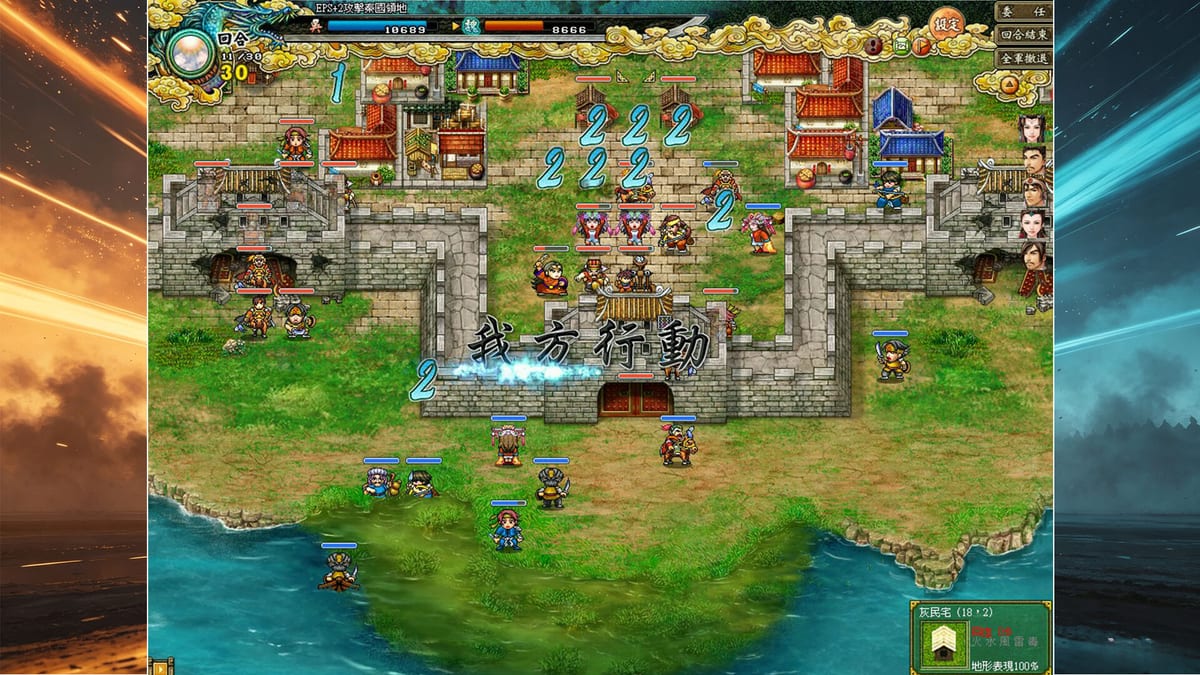
3 Kingdoms Online Remastered (Chinese title 三國鼎立Online Remastered, Steam AppID 4770830) is a free-to-play turn-based tactical MMO by Chinesegamer, released on Steam on 11 August 2026. It is online multiplayer, Steam-only, with Traditional Chinese and Simplified Chinese UI only (no English interface). Expect 15v15 boards, ten unit types, 27 terrains, remastered portraits, AI auto-battle, nation war, and campaigns such as Hulao Pass, Guandu, Changban Bridge, and Red Cliffs.
Guides explain strategy; tools speed decisions mid-session. Keep this hub open on a second monitor while Chinese UI occupies the main screen.
Child pages
- Unit Counter Tool — interactive matchup helper for ten unit types
- Terrain Reference — interactive terrain companion for 27 tiles
- System Requirements — Steam minimum and recommended specs
How to use tools in a real session
During deployment, check counters before you lock archers into a cavalry neighborhood. During siege prep, skim terrain reference before promising a mounted break squad. Before installing on a weak laptop, verify specs so you are not troubleshooting mid-event.
Pairing with learning pages
Unit Types and Terrain teach concepts the widgets compress. Beginner Builds and PvP Builds apply the answers. Nation War and Campaigns are where mistakes become visible.
The ten unit types are infantry (步兵), cavalry (騎兵), archers (弓兵), light infantry (輕裝兵), strategists (謀士), medics (藥師), engineers (工兵), taoists (道士), songstresses (歌妓), and barbarians (蠻兵).
Suggested workflow for English players
- Getting Started
- Claim Launch Rewards / Inoti
- Open Unit Counter + Terrain Reference
- Play a manual campaign using How to Play
- Only then enable careful Auto-Battle farms
Maintenance promise
Widgets reflect the launch design pillars—ten classes, twenty-seven terrains, Steam online play. When patches shift names or add types, update notes will land under Updates.
Useful links: Getting Started, How to Play, Nation War, Campaigns, Internal Affairs, Auto-Battle, How to Get Inoti, Unit Types, Terrain, Factions, Beginner Builds, Faction Comps, PvP Builds, Launch Rewards, How to Redeem, Unit Counter Tool, Terrain Reference, System Requirements, Launch Notes, Review.
Use tools to decide faster—not to skip learning the board.
Second-monitor layout
Left: Steam client. Right top: Unit Counter Tool. Right bottom: Terrain Reference. Browser bookmark folder: Getting Started, Launch Rewards, Beginner Builds. That layout turns a Chinese-only UI into a manageable English coaching stack.
When tools disagree with vibes
Trust a lost gate more than a green highlight. If the counter tool says you are favored but you keep dying on a bridge, terrain literacy is the missing layer. If terrain looks perfect but healers explode, PvP build peel is the missing layer. Tools diagnose; they do not replace after-action honesty.
Tool updates policy
If Chinesegamer adds unit types or renames terrains, this hub will note the change and the child widgets will be revised. Until then, treat ten types and twenty-seven terrains as the launch truth.
Frequently Asked Questions
Quick answers about units, gifts, campaigns, and nation war.
Which tool should I open first?
Unit Counter Tool if you are building teams; System Requirements if you have not installed yet.
Do tools replace guides?
No. They compress decisions; guides teach when those decisions matter.
Will tools work offline?
They are on this wiki site—keep a browser tab available while the game client runs online.
Are specs high?
Official minimums are modest; see the System Requirements page for exact numbers.